Description
Transform Your Creative Workflow
Why “Projects Half Done” is the Industry Standard
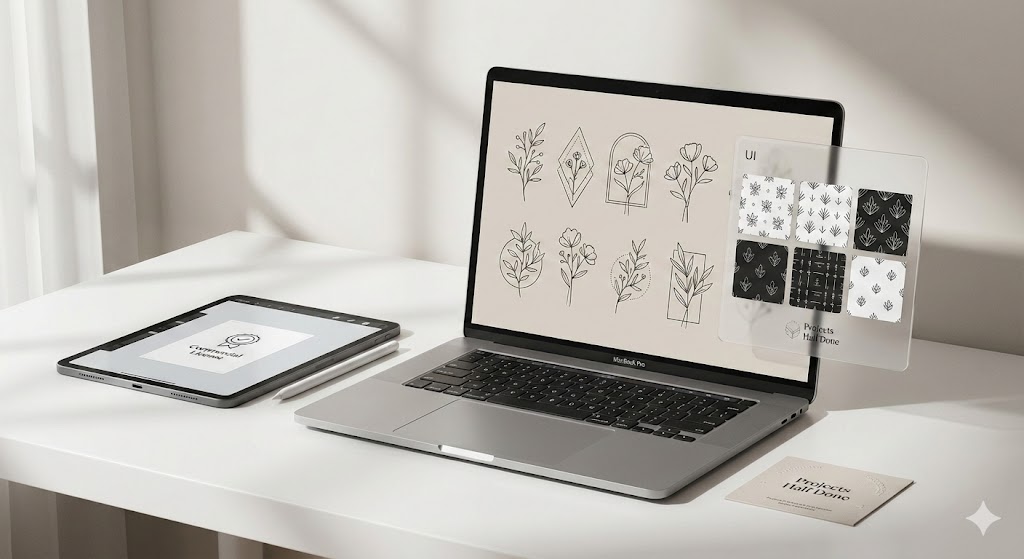
Most vector packs provide static shapes that require heavy editing. Our Line Art Creator is built on the principle of modular design. We provide the foundational “bones” of high-end line art, allowing you to mix, match, and modify elements to create unique compositions in seconds.
Whether you are working on a minimalist brand identity or intricate textile patterns, these vectors offer the clean, mathematical precision that manual drawing often lacks.
Features vs. Real-World Benefits
| Feature | Benefit to You |
| Ultra-Clean Vector Paths | No messy anchor points; easy to edit and recolor. |
| Seamless Pattern Swatches | Create infinite backgrounds for packaging or apparel instantly. |
| Cross-Software Compatibility | Works in Adobe Illustrator, Affinity Designer, and CorelDraw. |
| Curated Aesthetic | Follows modern minimalist and “Boho” trends to ensure your work sells. |
The Technical Edge
As experts in digital assets, we understand that Technical Integrity is as important as aesthetics.
-
Format: Optimized .AI, .EPS, and high-res transparent .PNG.
-
Resolution: 300 DPI (Print Ready).
-
File Organization: Layers are logically named and grouped—no more hunting through “Group 124” to find a stroke.
Why Choose “Projects Half Done”?
We don’t just sell files; we sell time. Our assets are used by over 5,000+ freelance designers globally. We prioritize User-First design, meaning our vectors are tested for “cutting-machine readiness” (Cricut/Silhouette) and high-speed web rendering.
-
Lifetime Updates: Buy once, get all future additions to this pack for free.
-
Expert Support: Stuck on a file? Our technical team responds within 24 hours.
Frequently Asked Questions
Q: Can I use these line art vectors for commercial client work?
A: Absolutely. Our standard license covers unlimited commercial projects, including physical products for sale and digital marketing assets.
Q: Are these files compatible with Canva?
A: Yes! You can upload the SVG or PNG versions directly into Canva to use them in your social media templates.
Q: How do I edit the stroke weight of the line art?
A: If using Adobe Illustrator, simply select the path and adjust the “Stroke” panel. The paths are not expanded, giving you full control over thickness.
Reviews
There are no reviews yet.