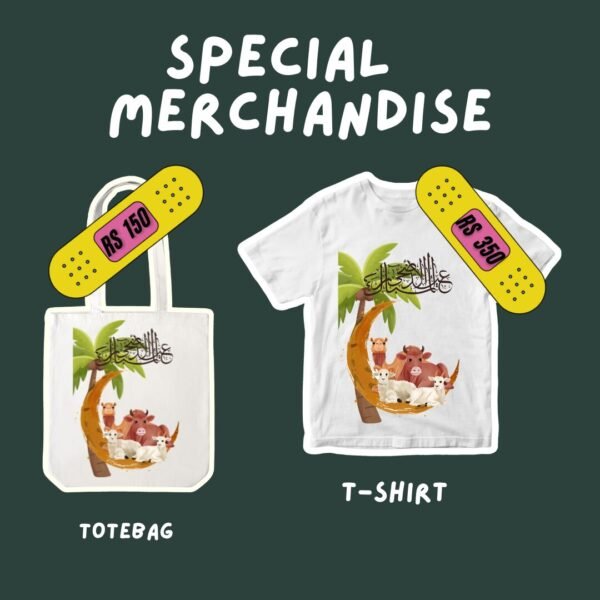
Eid ul Adha T-Shirt Design | Digital Printable | Instant Download
Eid ul Adha T-Shirt Design | Digital Printable | Instant Download Original price was: ₨ 500.Current price is: ₨ 350.
Back to products
print on demand Ultimate Pack bundle
print on demand Ultimate Pack bundle Original price was: ₨ 999.Current price is: ₨ 499.

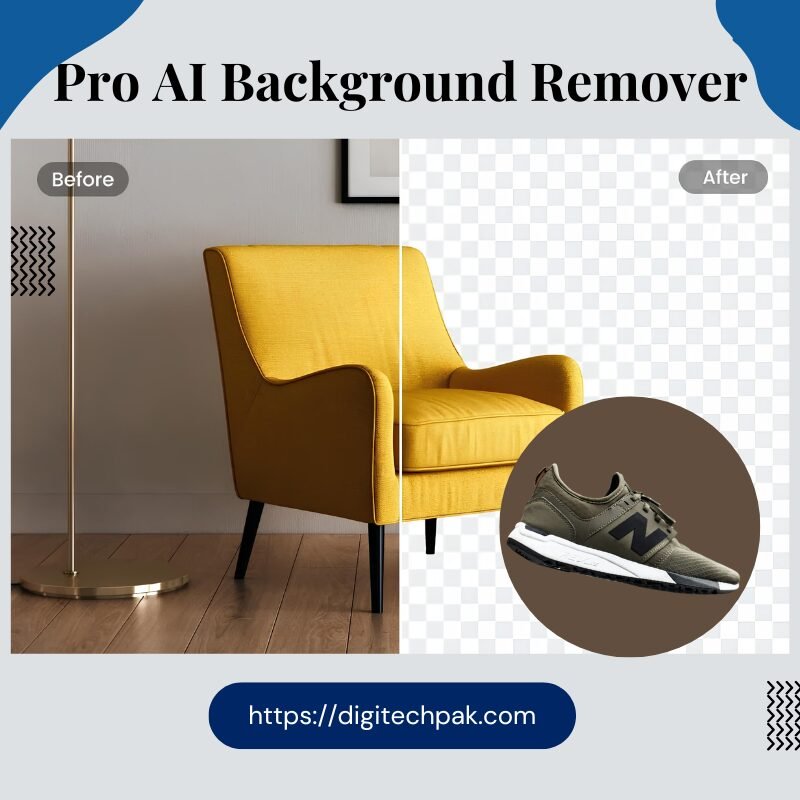
Pro AI Background Remover | 4K Batch Processing | HD Edge Refinement

Stop wasting hours on manual masking. Our AI Background Removal Tool delivers pixel-perfect transparency in seconds. Featuring Batch Processing (5 images at once), 4K HD Export, and professional Edge Refinement (Hair & Fur modes), this is the ultimate solution for e-commerce sellers and photographers.

  • Remove.bg API Powered

  • Instant Transparent PNGs

  • Full Background Replacement & Blur

DigiPak Discount Days

🎁 Enjoy Exclusive Discounts in Our DigiPak Discount Days!

WELCOME10

Original price was: ₨ 9,999.Current price is: ₨ 6,999.

16 People watching this product now!
  • Pick up from the Woodmart Store

To pick up today

Free

  • Courier delivery

Our courier will deliver to the specified address

2-3 Days

Free

  • DHL Courier delivery

DHL courier will deliver to the specified address

2-3 Days

Free

  • Warranty 1 year
  • Free 30-Day returns

Payment Methods:

Description

Say Goodbye to Manual Masking: The Professional 4K AI Background Removal Tool

Let’s be honest: manual background removal is a relic of the past. If you are still using the “Magic Wand” or paying for expensive one-by-one credits, you are losing time and money.

In 2026, efficiency is the only way to scale. Whether you are an e-commerce mogul, a graphic designer, or a content creator, you need a tool that handles the “impossible” (like hair and fur) while giving you 4K output.

Why This is the Last Background Tool You’ll Ever Need

Our tool doesn’t just “cut out” a subject; it understands the anatomy of your image. Powered by a high-performance Remove.bg API and optimized with a custom canvas fallback, we deliver studio-quality results in under 3 seconds.

🚀 The “Power-User” Feature Set (All 22+ Features)

1. The Removal Engine (Precision First)

  • AI Background Removal: Instant detection using the world’s most accurate API.

  • Edge Refinement Controls: Specialized Feather, Smoothing, and Hair/Fur toggles to eliminate the “fake” look.

  • Invert Selection: One-click flip to keep the background and remove the subject.

2. Workflow & Speed (Batch Power)

  • Batch Processing: Upload and process up to 5 images at once—perfect for product catalogs.

  • Drag & Drop Interface: Instant upload with smart file validation (Supports up to 25MB).

  • History Panel: Your last 6 results are stored in a session tray—never lose a design again.

  • Copy to Clipboard: Direct PNG copy for instant pasting into Canva, Photoshop, or Slack.

3. Creative Studio (Replace & Blur)

  • Pro Background Replacement: Choose from 12 solid colors, 6 premium gradients, or use the Hex Input for exact branding.

  • Custom Image Upload: Drop your subject into any environment instantly.

  • Adjustable Bokeh Blur: Professional 1–40px blur with falloff control for that $2,000 lens look.

  • Live Image Adjustments: Slider-based control for Brightness, Contrast, Saturation, Hue, and Opacity.

4. Professional Export (The 4K Difference)

  • Resolution Control: Choose between Original, 2× HD, or 1/2× Compact sizes.

  • Format Flexibility: Export in PNG (Transparent), JPG, or WebP.

  • HD Toggle: High-definition processing for print-ready quality.

  • Fullscreen Preview: Check your edges in a Fullscreen Zoom Modal (25% to 200%).

Stop Paying for Mediocre Results

Features Free Online Tools Our AI Pro Tool
Max Resolution 720p (Blurry) 4K & 2x HD (Crystal Clear)
Complex Edges Erases hair/details Dedicated Hair/Fur Modes
Bulk Work One at a time Batch Queue (5 Images)
Post-Editing None Live Contrast/Hue/Saturation

How It Works (3 Steps to Perfection)

  1. Upload: Drag up to 5 images into the dashboard.

  2. Refine: Use the Before/After Slider to check edges and apply Bokeh Blur or Color Gradients.

  3. Export: Select 4K PNG and either download or copy directly to your clipboard.

The Verdict from the Pros

“I used to spend 15 minutes per image in Photoshop. Now, I process my entire daily product intake in under 2 minutes. The edge refinement on hair is a game-changer.”Senior Art Director

Customer Reviews

0 reviews
0
0
0
0
0

There are no reviews yet.

Be the first to review “Pro AI Background Remover | 4K Batch Processing | HD Edge Refinement”

Your email address will not be published. Required fields are marked *

1 2 3 4 5
1 2 3 4 5
1 2 3 4 5